Using finance
How an invoice is approved and paid, how a journal is posted, and how the budget grid is edited.
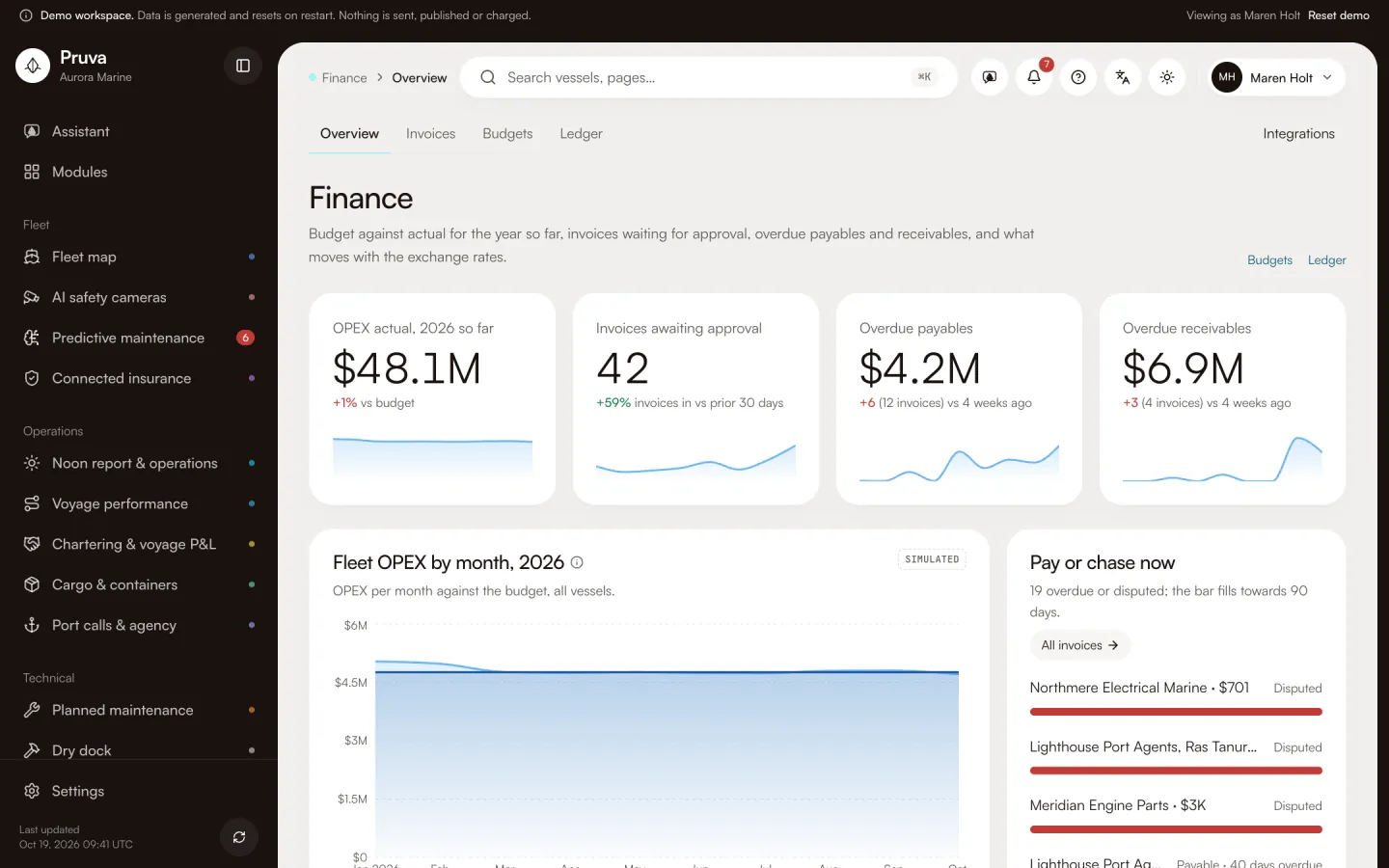
Finance is the vessel’s money: budget against what was posted, supplier and customer invoices, and a ledger that has to balance. The finance manager ashore approves and pays. A superintendent with edit can draft an invoice and edit a budget month. In the demo Selin Demir has publish. Kaan Erdem has view only, so he can read and cannot approve. Maren Holt has publish on every module, including this one.
Dashboard and pages
Finance is http://localhost:4400/app/finance . It shows budget against actual for the year so far, for the fleet and per vessel, invoices waiting for approval, overdue payables and receivables, cash going out in the next 30 days, and open amounts per currency.
Invoices is http://localhost:4400/app/finance/invoices . One invoice is that path plus the id: the lines, the approval steps, the journal it posted, and a link to the purchase order or the port call it came from.
Budgets is http://localhost:4400/app/finance/budgets . The year’s operating budget per vessel and category sits against posted actuals and the forecast. You edit it month by month in a sheet.
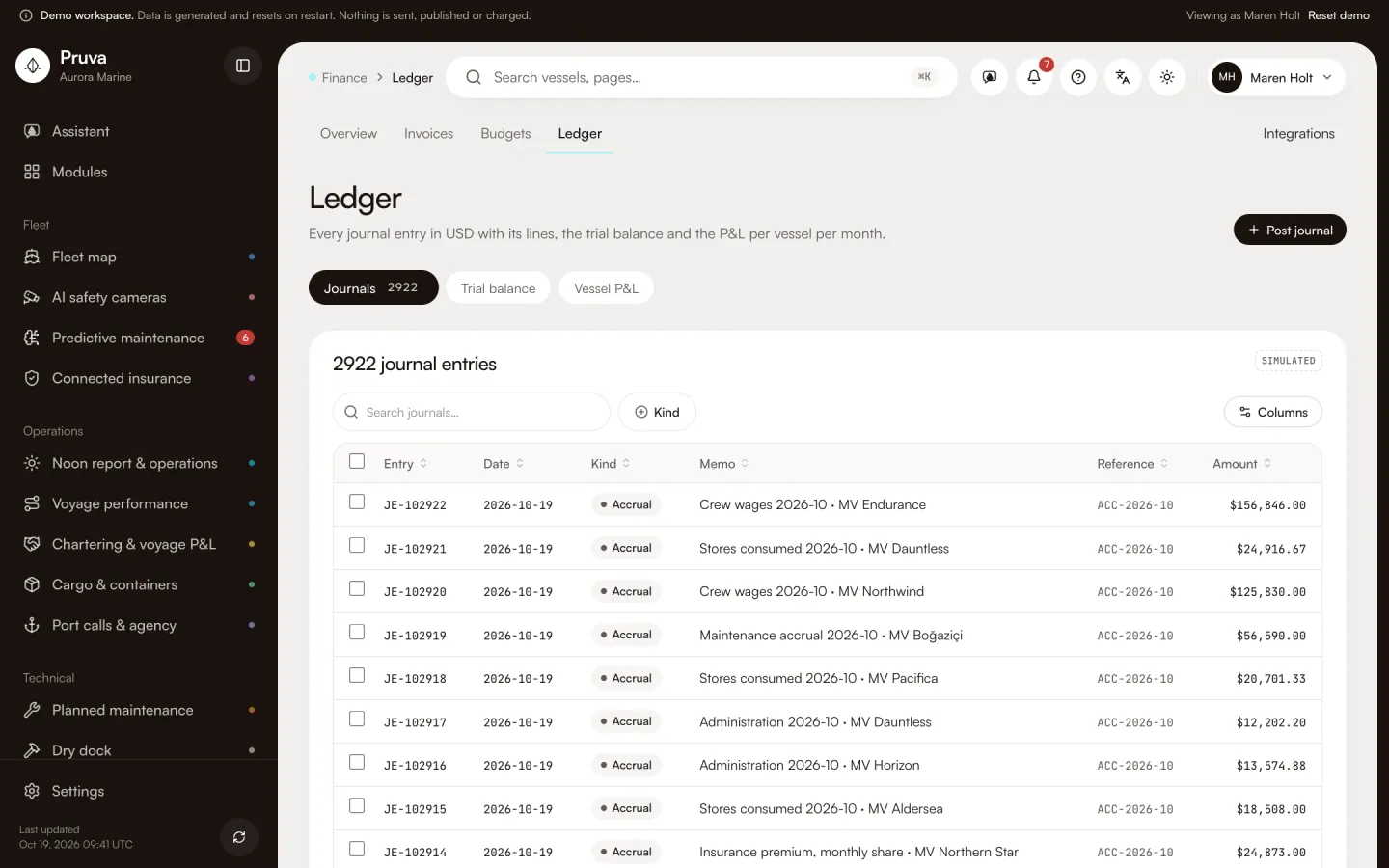
The ledger is http://localhost:4400/app/finance/ledger . Every journal has its lines. The page also shows the trial balance and the profit and loss per vessel per month. Integrations is http://localhost:4400/app/integrations/finance .
Workflows
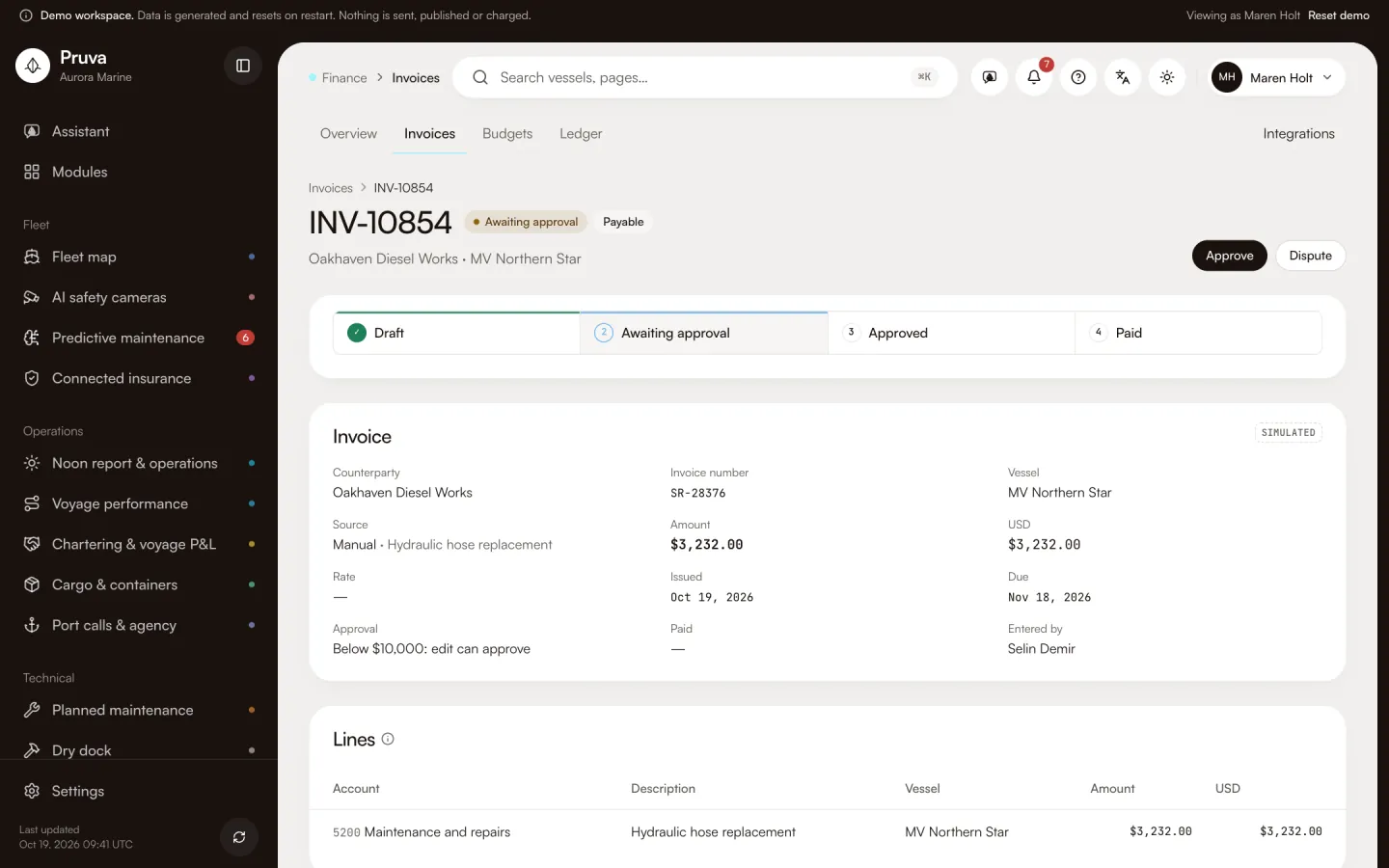
Create an invoice, submit it and dispute it need edit (finance.invoice.create, finance.invoice.submit, finance.invoice.dispute). The submit button is Submit for approval. A dispute needs a reason and is only possible before approval. Setting the budget needs edit (finance.budget.set). Refresh rates needs edit (finance.fx.refresh) and is refused to agents. In the demo it makes no call.
Approve needs edit (finance.invoice.approve), and publish when the invoice is at or above $10,000. The button is Approve. Both the app and the database check that limit.
Record payment needs publish (finance.invoice.pay). The button is Record payment. It pays the approved invoice at that invoice’s stored rate. Partial payments are not built. Post journal needs publish (finance.journal.post). The button is Post journal. The lines must balance. A deferred database trigger rejects a journal that does not.
Shared records
A purchase-order invoice links to the order and can show procurement’s three-way match when you can see procurement. Finance and procurement each keep an invoice row. Procurement matches at a fixed rate. Finance posts at the daily rate. They are linked by number, not by one shared id. A disbursement-account invoice points at the port call, with the final-account number as the reference. The BI operating-cost chart reads the posted actuals from this ledger.
What the demo simulates
Every demo amount, rate and counterparty is generated. Posted actuals match the old monthly operating-cost figures. Pending invoices sit on top. Demo rates are a series around the procurement rates, and refresh makes no call. In database mode, with the Frankfurter connection on, refresh stores a checked ECB rate for new days only, through a service-role writer. An invoice uses the latest stored rate on or before its issue date, at most 10 days old, and records that rate’s day. Xero exports nothing. Credit notes, reversing a posted invoice, realised exchange differences, a bank feed and period close are not built.
Integrations
Xero is a mock. Frankfurter is called only in database mode, and only when that connection is on. See Connections and the module reference.