Using the fleet map
How the fleet manager, the superintendent and the ship read positions, health and the vessel page.
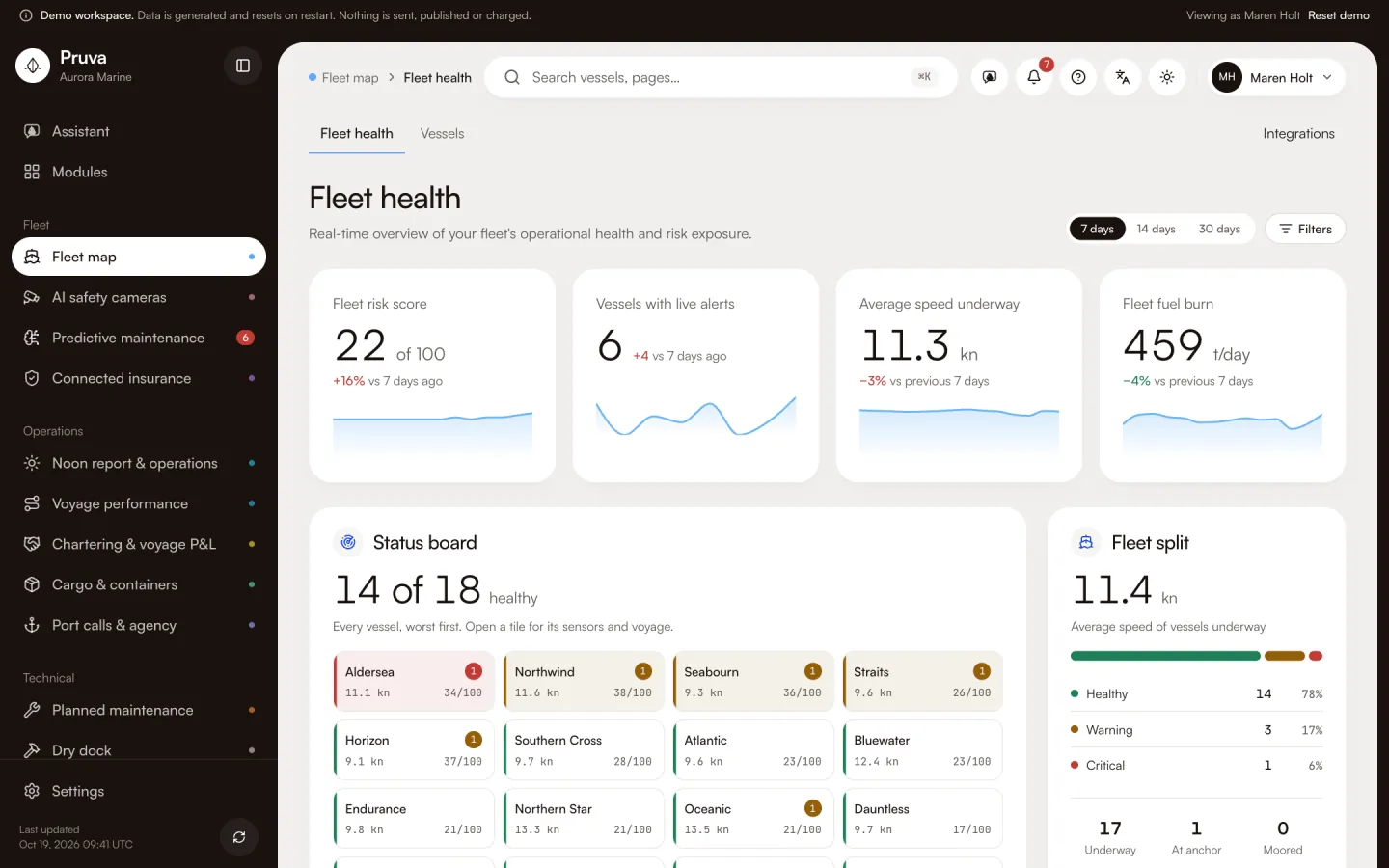
The fleet map is the shore picture of every vessel: where she is, how fast she is going, and whether her health and risk need someone today. The fleet manager uses it to decide which ship to open first. The technical superintendent uses the same tiles to see which alert is already on the board. A master or chief engineer with view can open the fleet, but the page does not limit them to their own ship.
Dashboard and pages
Fleet health is http://localhost:4400/app . Each vessel is a tile with health, speed, risk score and live alerts. The page also shows the health split, average speed of ships underway, the alerts with a failure risk, the map, fleet fuel burn and the mix of ship types.
Vessels is http://localhost:4400/app/vessels . The table repeats health, risk, CII rating, open alerts, speed, the voyage and whether the insurer can see the ship.
The vessel page is http://localhost:4400/app/vessels/ and then the vessel id. It adds sensor charts with the band the model treats as normal, CO₂, the CII trend, the risk drivers and the next maintenance window. Tabs that belong to other modules appear only when you have access to those modules. A locked tab says what it needs. Integrations is http://localhost:4400/app/integrations/monitor .
Workflows
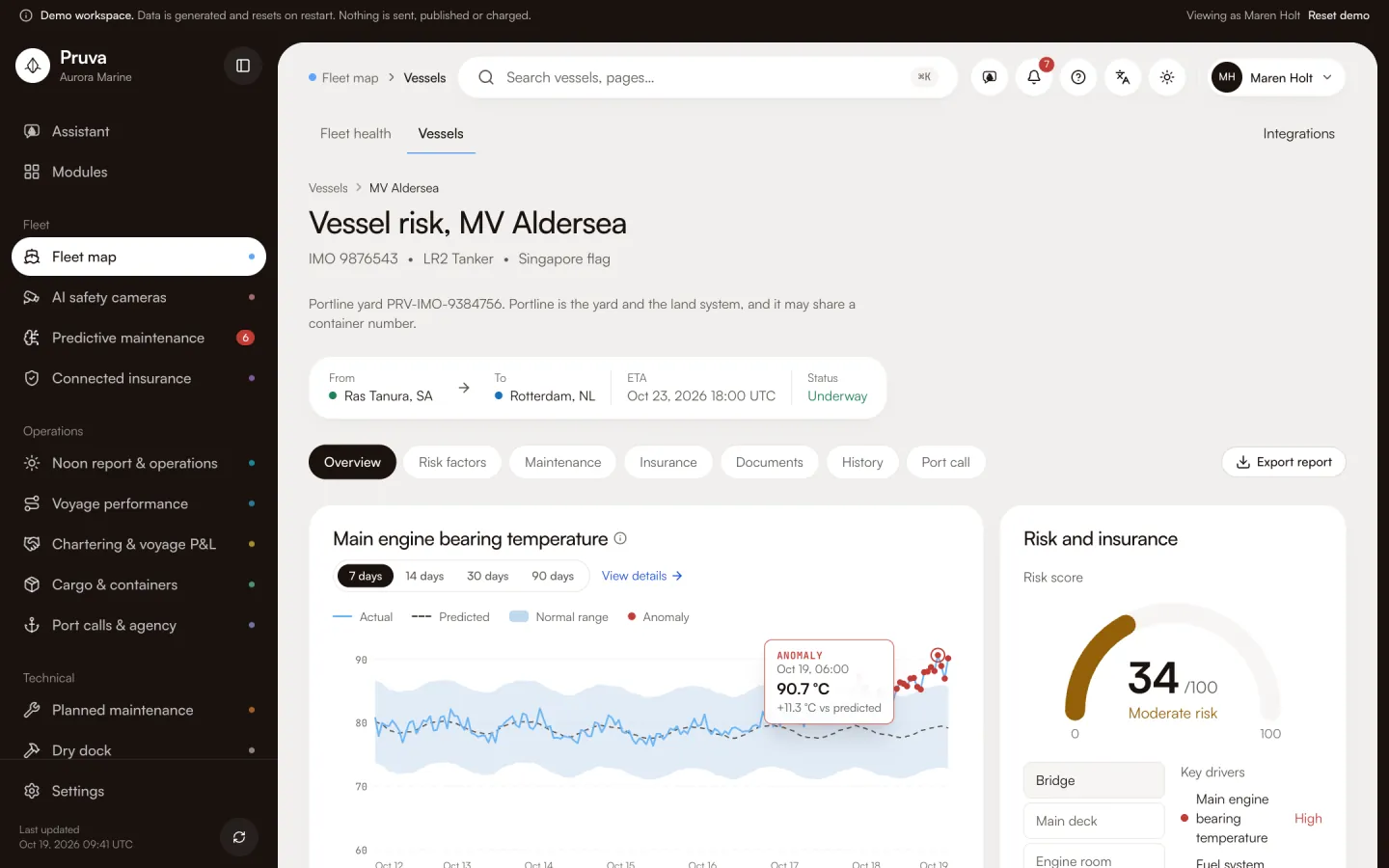
There is no write action on this module. view is enough to read every page, the map and the charts. edit and publish add nothing here.
Share with insurer sits on the vessel page, and it is not a fleet-map button. It is vessel.share. It needs publish on Connected insurance. The label is Share with insurer, or the stop-sharing label when the ship is already shared.
Shared records
The map reads the vessel, her voyage and the live alert. Predictive maintenance owns the risk score. The vessel page shows it. It does not calculate a second one. Emissions owns the CII rating shown in the vessel table. Noon owns the fuel figures behind the fleet burn. Insurance reads the shared flag. Turning sharing on is an insurance action.
What the demo simulates
Positions, speed, heading and machinery traces are generated. No AIS feed and no sensor gateway are called. The connectors are mocks.
Integrations
Spire Maritime is the position feed the product expects. The onboard MQTT gateway and the Siemens SIMATIC historian are the machinery history. All three are mocks in this build. See Connections and the module reference.